
When I moved into my new house, I was ready to set up the Chamberlain MyQ garage door opener. I’ve used MyQ before, so I figured it would be a quick process: reset, connect to Wi-Fi, done.
Instead, I ran into a wall. Or the garage door…
The app could see the hub, but the hub refused to see any Wi-Fi networks. I tried everything, resetting the unit, renaming my SSID, using a simple password, even starting the process on different devices. Same result every time: error messages and no progress.
Eventually, I found a workaround (shoutout to /u/coneslayer on Reddit) that actually worked. Here’s how you can get yours online too.
Step 1: Put the MyQ Hub in Blinking Blue Mode
The hub has to be in blinking blue mode before anything else will work.
- Press and hold the Settings (Yellow) button until the light starts flashing blue.
Step 2: Connect to the Hub’s Temporary Wi-Fi
- On your phone, tablet, or laptop, open Wi-Fi settings.
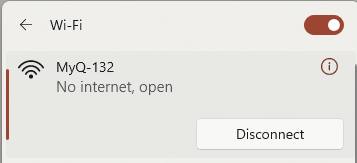
- Look for a network called MyQ-XXX (the “XXX” will be numbers unique to your hub).
- Tap to connect. There’s no password.
Step 3: Open the Hidden Setup Page
- Once connected, open a browser and go to https://192.168.10.1
- This takes you to the hub’s built-in WebUI setup page.

Step 4: Reset and Add Your Wi-Fi Network
- Inside the setup page, clear out any saved Wi-Fi info.
- Run a new scan and choose your actual home Wi-Fi network.
- Enter your Wi-Fi password and hit connect.
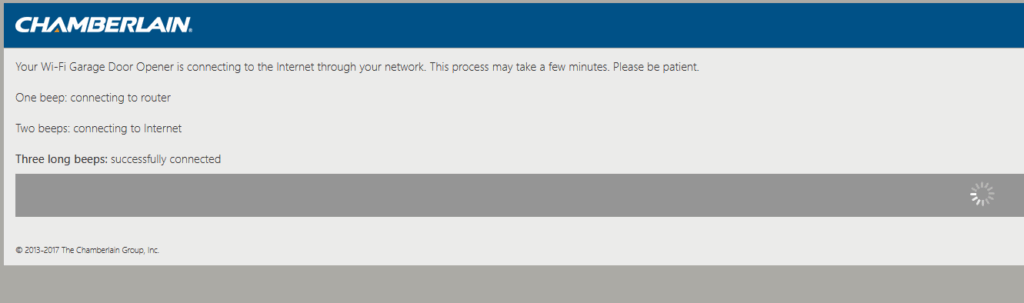
The hub’s light should switch to solid green once it’s successfully joined your network.
Step 5: Finish Setup in the MyQ App
- Reconnect your phone/tablet back to your normal Wi-Fi.
- Open the MyQ app and go through the setup steps.
- When the app asks if the hub is blinking blue, choose the option that says it’s solid green.
At that point, everything should sync up and you’ll be back in business.
A Couple Extra Notes
- The MyQ hub only works on 2.4 GHz Wi-Fi—not 5 GHz.
- If you’re still stuck, try moving your router closer to the hub during setup.
© 2025 Justin Vendette